To create an anniversary story, choose your favorite photos or videos, open Instagram Stories, and arrange your memories into a beautiful design.
Add a heartfelt caption, suitable music, and simple decorations. Preview your story, check your audience settings, and tap Your Story to share your special moment with friends and followers.
Key Takeaways
- Choose meaningful photos and videos that show your journey together.
- Use Instagram’s built-in editor or a design tool such as Canva to create your story.
- Add a short, personal caption and music that matches the mood.
- Keep your design clean, readable, and easy to view on a phone.
- Save your favorite anniversary story to Highlights if you want it to remain on your profile.
What Is an Anniversary Story?
An anniversary story is a short photo, video, or graphic shared to celebrate a special milestone. It might celebrate a wedding anniversary, a relationship anniversary, a friendship, or the anniversary of a business.
Instagram Stories are useful for these celebrations because you can combine photos, text, music, stickers, and videos in one place. Standard Stories generally disappear from public view after 24 hours, unless you save them as Highlights or share them another way.
iTechGuides
+1
You do not need professional editing skills to create one. A favorite photo, a thoughtful message, and a simple design can make your anniversary story feel personal and memorable.
How to Create an Anniversary Story on Instagram
Follow these steps to create an anniversary Instagram story directly from your phone.
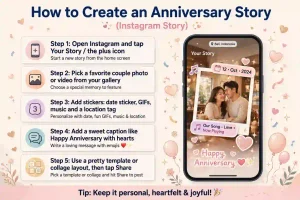
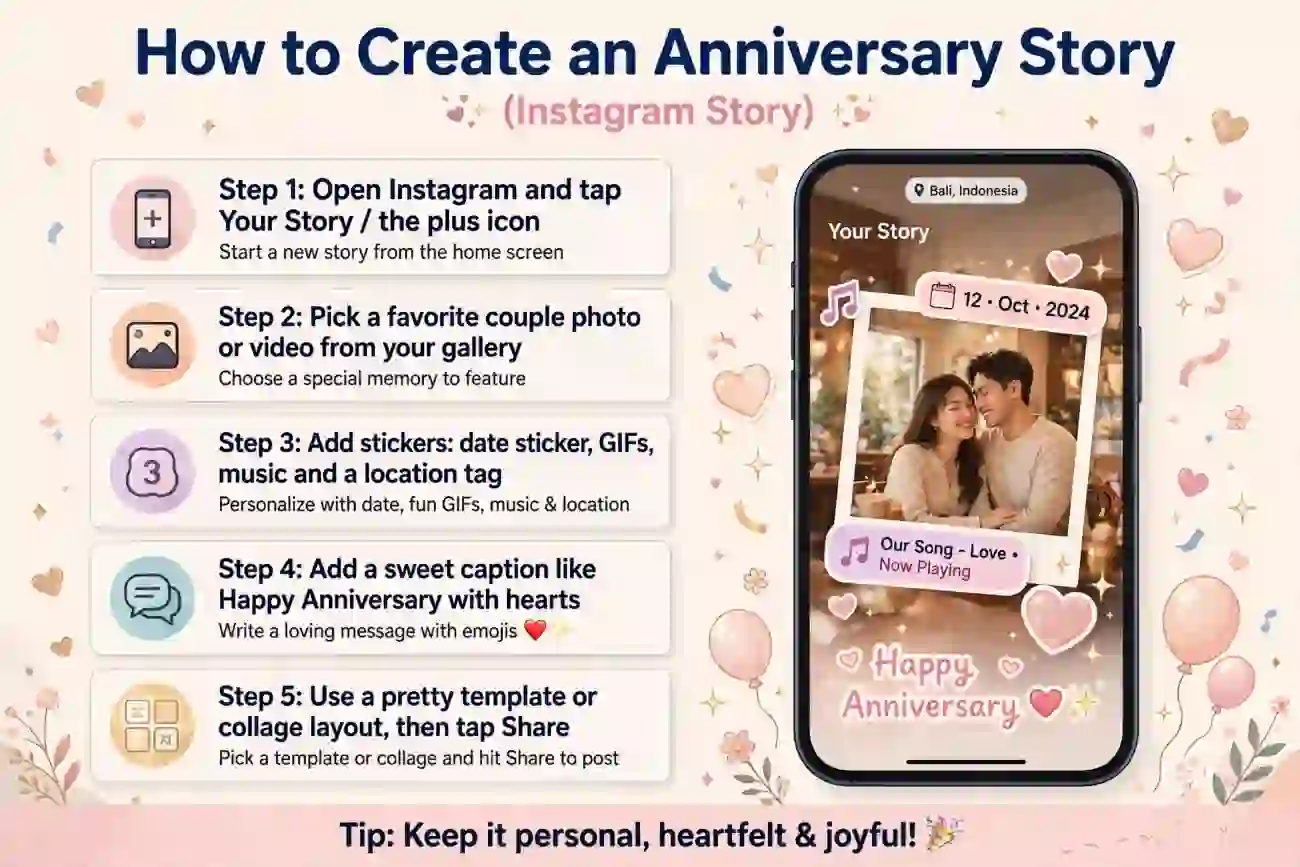
Step 1: Choose Your Favorite Photos
Start by selecting three to six photos or short video clips that represent your relationship or celebration.
You might include your first picture together, a favorite vacation, your wedding day, or a recent photo. Choose clear images that tell a small story rather than uploading every picture you have.
For a business anniversary, select an early photo of your business, a memorable milestone, and a recent picture of your team or products.
Step 2: Open the Instagram Story Editor
Open Instagram on your phone and follow these steps:
- Go to your home feed.
- Tap your profile picture or the + button and choose Story.
- Select a photo or video from your camera roll, or capture something new.
- Use the editing tools to add text, stickers, or other available effects.
Instagram’s interface may look slightly different depending on your device and app version.
iTechGuides
+1
Step 3: Arrange Your Photos and Videos
Decide how you want your anniversary story to look. You can create one attractive photo or build a sequence of several Story slides.
For example, use this three-slide arrangement:
- Slide 1: Your earliest favorite photo with the words “Our Story Began.”
- Slide 2: A recent photo with “So Many Beautiful Memories.”
- Slide 3: Your favorite picture together with “Here’s to Another Year of Love.”
Keep each slide focused on one memory. Avoid covering faces with stickers or adding so much text that the photos become difficult to see.
Step 4: Add a Romantic Caption and Music
Tap the text tool to write a short anniversary message. You can use a simple caption such as:
“Another year of love, laughter, and beautiful memories. I’m so grateful for you. ❤️”
Choose a font that is easy to read, and place the text where it does not hide important parts of the photo.
If music is available for your account, open the music sticker and choose a song that suits your celebration. A favorite song can make the story feel more personal. Music availability may vary by account, region, and licensing restrictions.
Step 5: Preview and Share Your Story
Before publishing, review every slide.
Check that your photos are in the right order, captions are spelled correctly, and text is easy to read. Make sure you are comfortable with the people who can view the story.
Tap Your Story to share it with your regular Story audience, or choose Close Friends if you want a more private celebration. Available controls may vary by app version.
Your anniversary story is now ready to share.
How to Create an Anniversary Story Using Canva or Templates
If you want a more polished design, you can create an anniversary story using Canva or an anniversary template from a design service. Template-based editors make it easier to combine photos, colors, and text without starting from a blank page.
Adobe Express India
+1


13
Here is a simple process:
- Open Canva or another design tool and search for “anniversary Instagram Story.”
- Select a template that matches your style.
- Replace the sample images with your own photos.
- Edit the heading, anniversary year, and personal message.
- Adjust the colors, fonts, and decorative elements.
- Export the design as an image or video and upload it to Instagram Stories.
For a standard full-screen design, use a vertical 9:16 layout, commonly 1080 × 1920 pixels. Check the final preview to ensure text and important details are not hidden by Instagram’s interface.
If you use a template, personalize it with your own memories. This helps the finished story feel more meaningful than a generic design.
Creative Anniversary Instagram Story Ideas
Not sure what to post? Choose an idea that matches your relationship, personality, or milestone.
Romantic Couple Story
Create a photo collage featuring your favorite moments together. Use a soft background, one romantic caption, and a song that means something to both of you.
A message such as “Every year with you is another favorite chapter” works well with a collection of shared memories.
First Anniversary Story
Celebrate your first year with a simple timeline. Include your first photo together, a memorable date, and a recent picture.
You could write, “One year down, forever to go. Happy anniversary, my favorite person! 💕”
Wedding Anniversary Story
Use a wedding photo, a picture from your honeymoon, and a recent photo together. Add your anniversary number or wedding date to make the design more personal.
For example: “Another year of choosing each other. Happy wedding anniversary! ❤️”
Funny Anniversary Story
If you enjoy humor, create a before-and-after collage or use a playful photo of the two of you.
Try a caption like “Still stealing my fries after all these years. Happy anniversary!” A lighthearted message can feel more natural than an overly formal declaration.
Business Anniversary Story
An anniversary story can also celebrate a company, website, shop, or creative project.
Share an early milestone, a recent achievement, and a thank-you message for customers or followers. You might write, “Three years of learning, growing, and creating together. Thank you for being part of our journey!”
For a business account, a final slide can direct viewers to a new product, special offer, or anniversary announcement.
Best Captions for an Anniversary Story
Use one of these original captions or adapt it to your own relationship.
| Style | Anniversary caption |
|---|---|
| Romantic | “My favorite place will always be beside you. ❤️” |
| Short and sweet | “Another year, another beautiful chapter.” |
| Emotional | “Thank you for making ordinary days feel special.” |
| Funny | “Still my favorite person to annoy. Happy anniversary!” |
| Wedding | “A love that keeps growing, year after year.” |
| First anniversary | “Our first year, a million memories, and more to come.” |
| Friendship | “Another year of friendship, laughter, and unforgettable moments.” |
| Business | “Celebrating another year of progress, passion, and community.” |
The best caption is one that sounds like you. Mention a shared memory, an inside joke, or something you appreciate about the person. A personal detail often means more than a long, generic message.
Tips to Make Your Anniversary Story Look Beautiful
A good anniversary story does not need expensive editing tools. A few simple choices can make your design look more polished.
- Choose a consistent color palette: Try cream and gold for an elegant look, pink and white for a romantic theme, or your favorite colors for something personal.
- Use readable fonts: Choose one font for the main message and another for small details if needed. Avoid mixing too many styles.
- Keep photos clear: Use sharp, well-lit images. Avoid stretching photos or cropping out important details.
- Add simple decorations: Hearts, flowers, sparkles, and subtle frames can make the story festive without creating clutter.
- Match music to the mood: Pick a song that reminds you of your relationship or suits the celebration.
- Keep text short: One meaningful sentence is often enough for each slide.
- Check the layout on your phone: Make sure captions, dates, and faces are not hidden by interface elements.
A useful rule is to let your memories take center stage. Decorations should support your photos, not compete with them.
Common Anniversary Story Mistakes to Avoid
Even a simple design can become confusing if it contains too many elements. Avoid these common mistakes when creating your anniversary story.
Adding too many photos: A crowded collage makes individual memories difficult to appreciate. Select a few meaningful pictures instead.
Using long captions: Large blocks of text can be hard to read on a phone. Break longer messages into separate slides.
Choosing music without checking availability: A song may not be available for every account or location. Preview the music before publishing.
Forgetting privacy settings: Review your audience before sharing personal photos, especially when children, family members, or private celebrations appear in them.
Using a generic template without personal touches: Replace sample text and images with your own memories, dates, and messages.
Forgetting to save your favorite design: If you want the story to remain visible on your Instagram profile, consider adding it to a Highlight.
Frequently Asked Questions
1. How do you create an anniversary story on Instagram?
Open Instagram, tap the option to create a Story, and select a photo or video. Add a caption, music, and decorations if desired. Preview your design and tap Your Story to publish it. You can create several slides to share different memories from your relationship or celebration.
2. Which app is best for creating an anniversary story?
Instagram is convenient for quick stories because it includes built-in editing tools. Canva is another option if you want customizable layouts, photo collages, and decorative templates. The best choice depends on whether you prefer a simple post or a more carefully designed anniversary graphic.
3. How can I make my anniversary story look aesthetic?
Choose a consistent color palette, use clear photos, and keep your text short. Add one or two decorative elements, such as hearts or subtle sparkles. Avoid filling every empty space. A clean layout with a meaningful caption usually looks more polished than a design with too many effects.
4. How do I keep my anniversary story on my Instagram profile?
Add the Story to an Instagram Highlight while it is active, or use your Stories Archive if the story has expired and was archived. Choose an appropriate Highlight name, such as “Our Anniversary” or “Special Memories.” Availability depends on your archive settings and the options offered by your account.
5. Can I create an anniversary story without an app?
Yes. You can create and publish a basic anniversary story directly in Instagram without using a separate design app. Choose a photo, add text, and use the available stickers or music features. An external tool is optional if you want additional templates or more detailed design controls.
Conclusion
Learning how to create an aniversary story is simple once you choose your photos, decide on a design, and add a personal message.
Instagram’s built-in editor is ideal for quick celebrations, while Canva and other template tools offer more ways to customize your design.
Whether you are celebrating a first anniversary, a wedding milestone, a friendship, or a business achievement, focus on the memories that matter most.
A few beautiful photos and a sincere caption can create a story worth remembering.