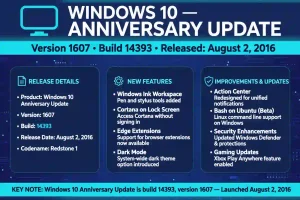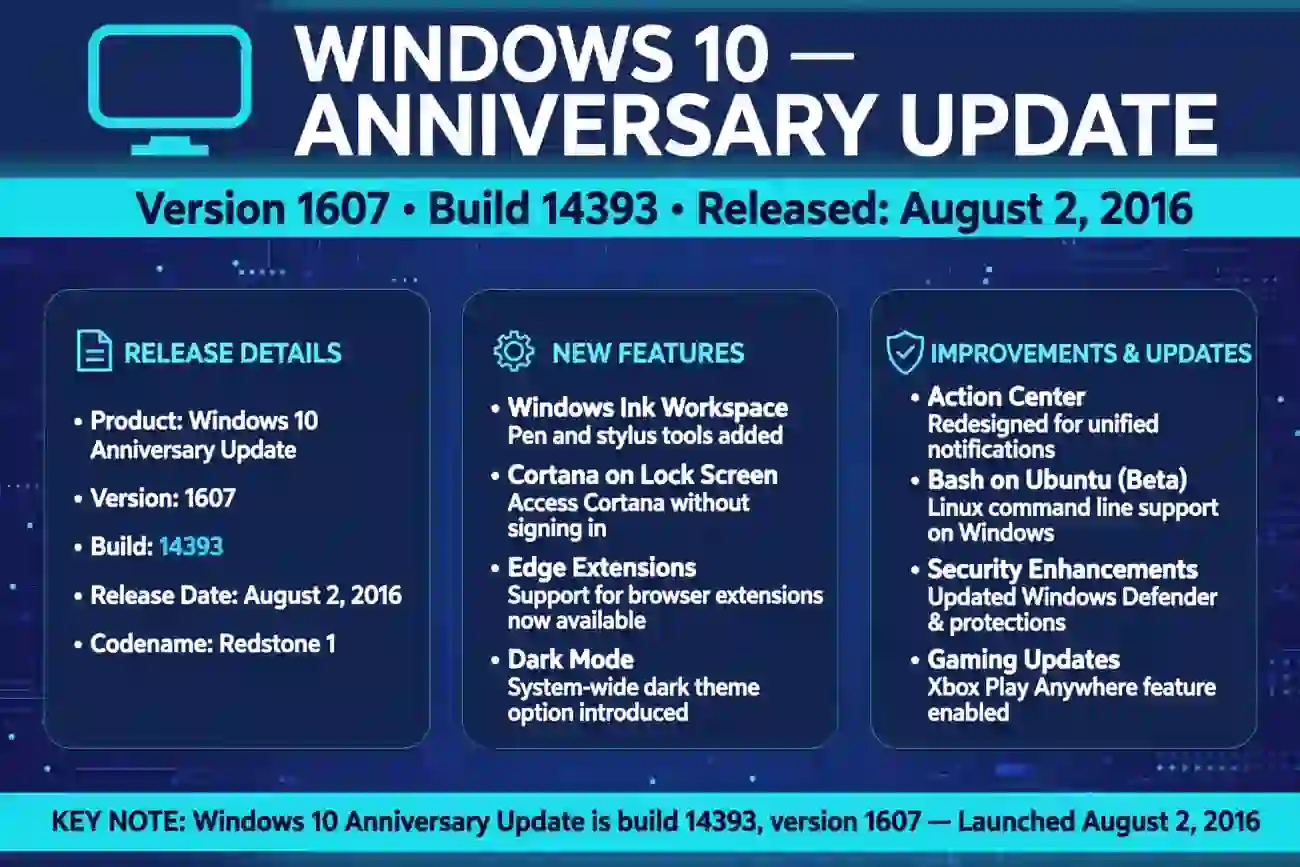
The Windows 10 Anniversary Update is version 1607, originally released as OS build 14393. Microsoft released it on August 2, 2016.
Later cumulative updates increased the build number while keeping the system on version 1607, so a computer running this update may display a build number higher than 14393.Key
Takeaways
- The Windows 10 Anniversary Update is version 1607.
- Its original OS build number is 14393.
- Microsoft released the update on August 2, 2016.
- Later updates changed the full build number, such as 14393.2214, without changing the feature version.
- Windows 10 version 1607 is an older release, and its support status depends on the edition and servicing channel.
What Build Is the Windows 10 Anniversary Update?
The Windows 10 Anniversary Update is known as version 1607, with the original operating system build number 14393. Microsoft also referred to this release as the Anniversary Update and associated it with the Redstone 1 development cycle.
GitHub
+1
If you are checking an older computer, these are the two main identifiers to look for:
| Windows detail | Value |
| Update name | Windows 10 Anniversary Update |
| Version number | 1607 |
| Original OS build | 14393 |
| Release date | August 2, 2016 |
| Development codename | Redstone 1 |
The version number and build number are related, but they are not interchangeable. Version 1607 identifies the feature release, while 14393 identifies the original build family.
For example, a computer might display OS Build 14393.2214 or another later revision. That does not automatically mean it is running a different Windows 10 feature version. Microsoft published multiple updates for version 1607 over time.
Microsoft Learn
+1
This distinction is especially useful when troubleshooting compatibility problems, checking software requirements, or identifying an older Windows installation.
When Was Windows 10 Version 1607 Released?
Microsoft released the Windows 10 Anniversary Update on August 2, 2016, approximately one year after the original Windows 10 launch in July 2015. The update marked a major feature release for the operating system.
Microsoft Learn
+1
The name “Anniversary Update” referred to the first anniversary period of Windows 10. The update introduced improvements to security, the Start menu, Microsoft Edge, Windows Ink, and other parts of the Windows experience.
It was distributed as a feature update rather than just a small monthly security patch. Feature updates introduce changes to the operating system, whereas cumulative updates generally deliver fixes and security improvements for an existing version.
The release also matters for people maintaining older computers. Software documentation, support instructions, and historical troubleshooting guides may refer to version 1607 or build 14393 rather than simply saying “Windows 10.”
If you see either identifier in a technical guide, you can use it to recognize the Anniversary Update family.
What Is the Difference Between Version 1607 and Build 14393?
Windows version numbers and OS build numbers identify different levels of information about an installation.
Version 1607 identifies the Anniversary Update feature release. Build 14393 identifies its original operating system build. Subsequent cumulative updates can add a revision number after the base build.
Consider these examples:
| Displayed identifier | What it means |
| Version 1607 | The Anniversary Update feature release |
| OS Build 14393 | The original build family |
| OS Build 14393.2214 | A later revision in the same build family |
| Version 1703 | A different feature release, known as the Creators Update |
Microsoft’s release information documents version 1607 as the 14393 build family and lists multiple later builds associated with that version.
Microsoft Learn
+1
This is why checking only the first five digits may not tell you which cumulative updates have been installed.
If an application requires Windows 10 version 1607 or later, check the version number first. If the application requires a particular OS build, compare the full build number as well.
How to Check Your Windows 10 Version and Build
You can find your Windows version and build number directly on your computer. You do not need to install a separate program.
Method 1: Use the Winver Command
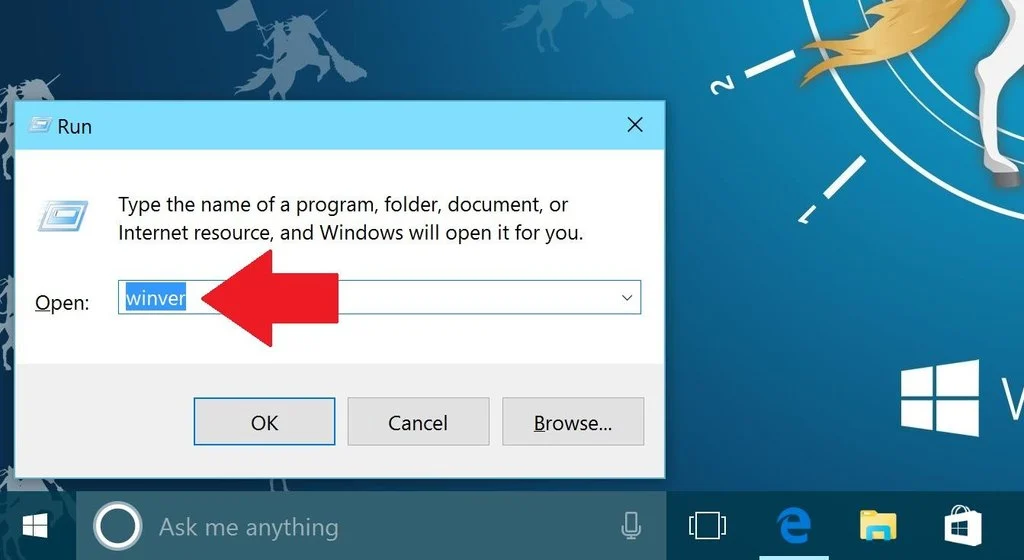
Step 1: Open Run
Press Windows + R on your keyboard to open the Run dialog.
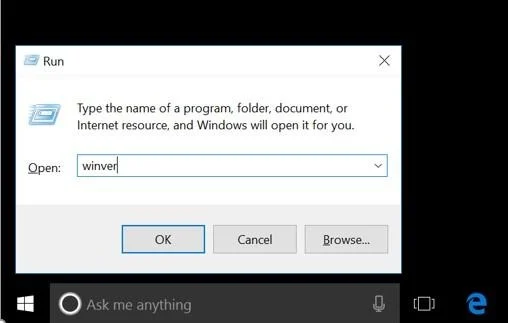
Step 2: Enter the command
Type winver in the box and press Enter.
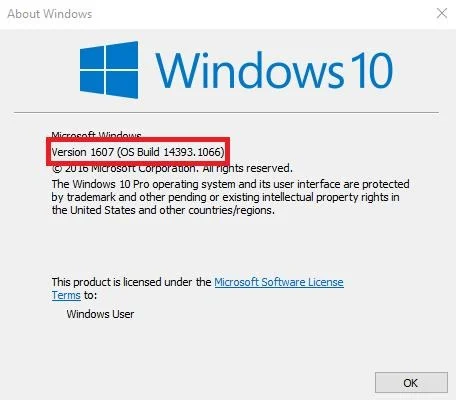
Step 3: Read the results
The About Windows dialog displays the Windows version and OS build information. Look for version 1607 to identify the Anniversary Update.
The winver command is a quick way to identify the release installed on a computer. If the dialog shows version 1607, you have identified the Anniversary Update feature version.
Method 2: Check Windows Settings
You can also use the Settings app.
- Open the Start menu.
- Select Settings.
- Choose System.
- Select About.
- Find the Windows specifications section.
Look for the Version and OS build fields. If the version is 1607 and the OS build begins with 14393, the information matches the Anniversary Update family.
If your computer displays version 1703, 1809, 1909, or 22H2, it is running a different Windows 10 feature release.
What Changed in the Anniversary Update?
The Anniversary Update introduced several notable changes to Windows 10. These improvements help explain why Microsoft treated version 1607 as a major release.
- Windows Ink: Added tools and experiences for using a pen on compatible devices, including digital writing and drawing.
- Microsoft Edge improvements: Expanded browser capabilities and support for extensions.
- Start menu changes: Refined the Start menu and app-list experience.
- Windows Hello enhancements: Expanded biometric sign-in capabilities in supported scenarios.
- Cortana improvements: Added changes to Microsoft’s digital assistant experience.
- Security enhancements: Included improvements to Windows security features and protections.
The exact experience depended on the device, installed applications, hardware, and configuration. Not every feature was available on every computer.
The Anniversary Update also became a reference point for developers and IT professionals working with the Windows 10 platform. Microsoft published developer documentation specifically for build 14393, confirming its association with version 1607.
GitHub
For users researching old software, this history is useful because an application may require a feature that first appeared in a particular Windows release.
How Does Version 1607 Compare With Other Windows 10 Versions?
Windows 10 received several major feature updates. Their version numbers help distinguish one release from another.
| Windows 10 release | Version | General release date |
| Original Windows 10 | 1507 | July 29, 2015 |
| November Update | 1511 | November 10, 2015 |
| Anniversary Update | 1607 | August 2, 2016 |
| Creators Update | 1703 | April 5, 2017 |
| Fall Creators Update | 1709 | October 17, 2017 |
| October 2022 Update | 22H2 | October 18, 2022 |
Microsoft’s Windows lifecycle documentation lists these feature releases and their availability dates.
Microsoft Learn
+1
The version numbers often reflect the year and month associated with a release, although the actual public release date does not always match that number exactly.
For example, version 1607 was released in August 2016, not July 2016. The numbering system is a useful identifier, but you should use Microsoft’s release records when an exact date matters.
Is Windows 10 Anniversary Update Still Supported?
For ordinary Windows 10 Home and Pro installations, version 1607 is no longer supported. These editions reached the end of servicing years ago, and regular support for Windows 10 Home and Pro version 22H2 ended on October 14, 2025.
Microsoft Learn
+1
Some specialized editions have different lifecycles. For example, Windows 10 Enterprise 2016 LTSB has a separate servicing schedule from standard Home and Pro editions. Microsoft lists October 13, 2026, as the end of support for Windows 10 Enterprise 2016 LTSB.
Microsoft Support
+1
This distinction matters if you are maintaining a business computer or an older system used for a specific application.
If your PC still runs the Anniversary Update, do not assume it receives current security protections just because it starts and works normally. Check the exact edition and its servicing status, then consider upgrading to a supported operating system if your hardware allows it.
For general Windows 10 Home and Pro users, the Anniversary Update is a historical release rather than a suitable version for a new installation today.
Frequently Asked Questions
1. What build is the Windows 10 Anniversary Update?
The Windows 10 Anniversary Update is version 1607, with the original OS build number 14393. Later cumulative updates increased the full build number, but systems could remain on version 1607.
2. Is Windows 10 version 1607 the Anniversary Update?
Yes. Windows 10 version 1607 is the official version number associated with the Anniversary Update. The original build family is 14393, and Microsoft released the feature update on August 2, 2016.
3. When was the Windows 10 Anniversary Update released?
Microsoft released the Windows 10 Anniversary Update on August 2, 2016. It introduced improvements to Windows Ink, Microsoft Edge, the Start menu, and security features.
4. How do I check my Windows 10 build number?
Press Windows + R, type winver, and press Enter. The About Windows dialog displays your Windows version and build information. You can also open Settings, select System, and then choose About to view the Windows specifications.
5. Is build 14393 the same as version 1607?
Not exactly. Version 1607 identifies the feature release, while 14393 identifies its original OS build family. Later cumulative updates can change the full build number to values such as 14393.2214 without changing the feature version.
6. What came after the Anniversary Update?
The next major Windows 10 feature release was the Creators Update, version 1703, which became available in April 2017. It followed version 1607 in Microsoft’s Windows 10 release history.
Microsoft Learn
+1
Final Answer
The Windows 10 Anniversary Update is version 1607, with original OS build 14393. It was released on August 2, 2016.
To identify it on your own computer, run winver and check the version and build information. Remember that later cumulative updates may change the full build number, and standard Windows 10 Home and Pro installations no longer receive support for version 1607.